

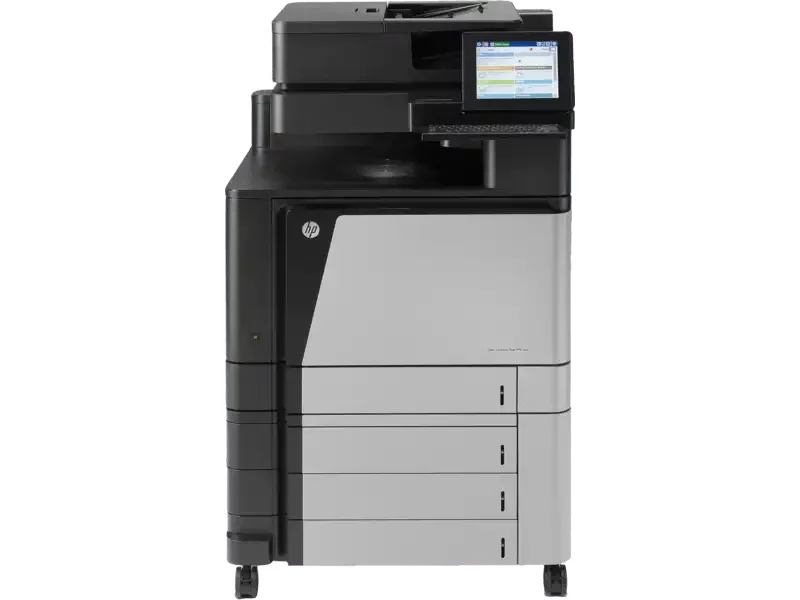
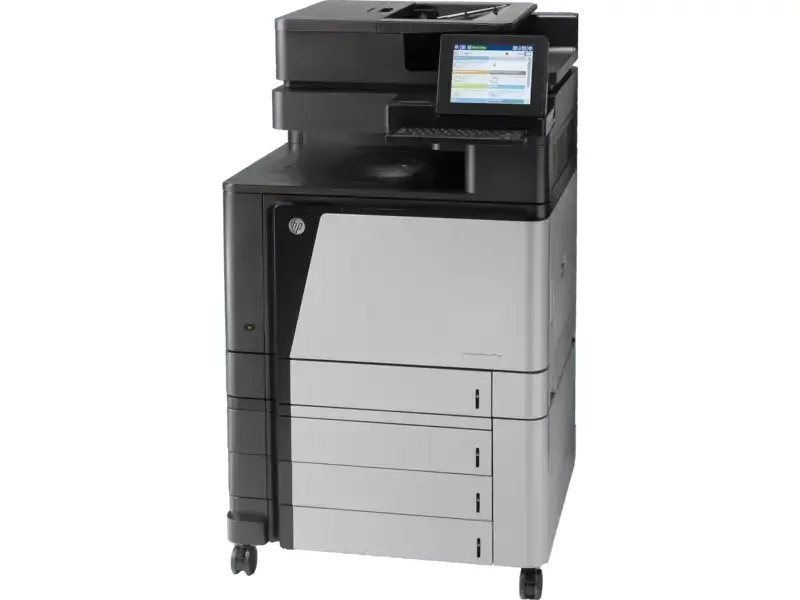
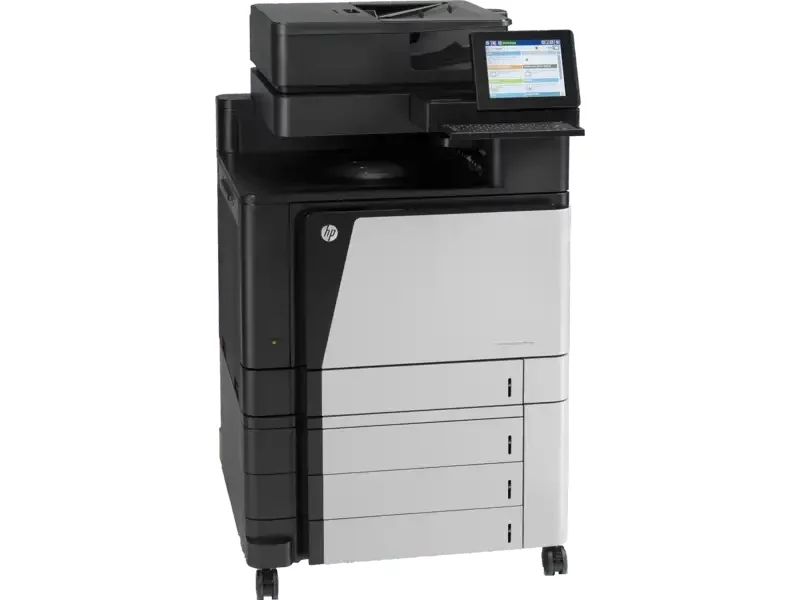
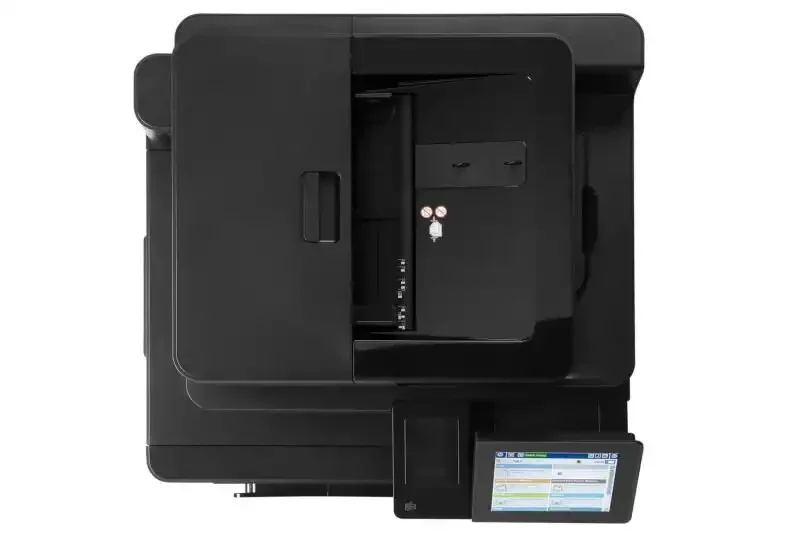
Máy in HP Color LaserJet Enterprise Flow MFP M880z (A2W75A)
- Chức năng In, Copy, Scan đa màu
- Tính năng bảo mật cho doanh nghiệp
- Công nghệ PageWide
- Chế độ làm việc theo lịch trình
- In trang đầu tiên 7.1 giây
- Chất lượng in 1200 dpi
Giới thiệu Máy in HP Color LaserJet Enterprise Flow MFP M880z (A2W75A)
Cung cấp cho các nhóm làm việc tốc độ họ cần
Quản lý nội dung theo cách bạn chưa bao giờ nghĩ có thể với Máy in HP Color LaserJet Enterprise Flow MFP M880z (A2W75A).
Tiếp tục hoạt động kinh doanh
Tiết kiệm thời gian CNTT và giúp toàn bộ công ty in ấn dễ dàng. Bằng cách sử dụng một trình điều khiển duy nhất cho tất cả các thiết bị HP.
Cho phép nhân viên kết thúc các công việc lớn nhanh hơn. Bằng cách sử dụng các tùy chọn hoàn thiện được tích hợp sẵn.
In di động — hiệu quả hơn
Máy in HP Color LaserJet Enterprise Flow MFP M880z in di động chỉ với một lần chạm để in tiện lợi từ các thiết bị di động.
Máy in HP Color giúp đơn giản hóa việc in ấn.
Cung cấp cho người dùng quyền truy cập trực tiếp, đơn giản MFP. Thông qua tính năng in trực tiếp không dây.
Cho phép nhân viên in từ thiết bị di động. Có khả năng in tích hợp hoặc ứng dụng và phần mềm HP ePrint.
Cung cấp cho người dùng sức mạnh để in không dây từ iPad®, iPhone® hoặc iPod touch®.
Đầu tư một lần, dễ dàng mở rộng và quản lý hiệu quả
Máy in HP M880z giúp xây dựng hiệu quả kinh doanh.
Giám sát và điều khiển máy in tập trung với HP Web Jetadmin.
Áp dụng các chính sách toàn nhóm để giúp bảo vệ các thiết bị HP của bạn.
Đánh giá Máy in HP Color LaserJet Enterprise Flow MFP M880z (A2W75A)
| HP Data Sheet | HP Color LaserJet Enterprise flow M880 Multifunction Printer series |
| Functions | Print, copy, scan, fax |
| Print speed, black (normal) | Up to 45 ppm |
| Print speed, color (normal) | Up to 45 ppm |
| First page out (ready) black | As fast as 8 sec |
| First page out (ready) color | As fast as 8 sec |
| Resolution (black) | Up to 1200 x 1200 dpi |
| Resolution (color) | Up to 1200 x 1200 dpi |
| Resolution technology | HP ImageREt 4800; HP FastRes 1200 (1200 dpi quality), 600 x 600 dpi; HP ProRes 1200 (1200 x 1200 dpi); Pantone© Calibrated |
| Monthly duty cycle | Up to 200,000 pages (print) |
| Recommended monthly page volume | 5000 to 25,000 |
| Print Technology | Laser |
| Display | 8″ SVGA 800 x 600 dpi resolution capacitive-touch display with gesture support and extended keyboard |
| Number of print cartridges | 4 (1 each Cyan, Magenta, Yellow, Black) |
| Replacement cartridges | HP 827A Black LaserJet Toner Cartridge (29,500 pages) CF300A; HP 827A Cyan LaserJet Toner Cartridge (32,000 pages) CF301A; HP 827A Yellow LaserJet Toner Cartridge (32,000 pages) CF302A; HP 827A Magenta LaserJet Toner Cartridge (32,000 pages) CF303A; HP 828A Black LaserJet Imaging Drum (30,000 pages) CF358A; HP 828A Cyan LaserJet Imaging Drum (30,000 pages) CF359A; HP 828A Yellow LaserJet Imaging Drum (30,000 pages) CF364A; HP 828A Magenta LaserJet Imaging Drum (30,000 pages) CF365A |
| Replacement cartridges | HP 827A Black LaserJet Toner Cartridge (29,500 pages) CF300A; HP 827A Cyan LaserJet Toner Cartridge (32,000 pages) CF301A; HP 827A Yellow LaserJet Toner Cartridge (32,000 pages) CF302A; HP 827A Magenta LaserJet Toner Cartridge (32,000 pages) CF303A; HP 828A Black LaserJet Imaging Drum (30,000 pages) CF358A; HP 828A Cyan LaserJet Imaging Drum (30,000 pages) CF359A; HP 828A Yellow LaserJet Imaging Drum (30,000 pages) CF364A; HP 828A Magenta LaserJet Imaging Drum (30,000 pages) CF365A |
| Print languages | HP PCL 6, HP PCL 5, HP postscript level 3 emulation, PDF |
| Automatic paper sensor | Yes |
| Paper trays, standard | 5 |
| Paper trays, maximum | 5 |
| Mobile Printing Capability | HP ePrint; Apple AirPrint™; Mopria™-certified; Mobile Apps; Wireless Direct printing |
| Connectivity, standard | 2 Hi-Speed USB 2.0 Host; 1 Hi-Speed USB 2.0 Device; 1 Gigabit Ethernet 10/100/1000T Network; 1 Foreign Interface; 1 Hardware Integration Pocket (HIP); 2 Internal USB Host; 1 Fax |
| Connectivity, optional | HP Jetdirect ew2500 802.11b/g Wireless Print Server J8021A; HP Jetdirect 2700w USB Wireless Print Server J8026A; HP Jetdirect 2800w NFC & Wireless Direct J8029A |
| Network ready | Standard (built-in Gigabit Ethernet) |
| Ports | 1 Hi-Speed device USB 2.0; 2 Host USB 2.0 (for third party connections); 1 Jetlink; 1 Accessory (for Kensington Lock); 1 Gigabit ethernet 10/100/1000; 1 Fax; 1 FIH |
| Security management | Identity management: Kerberos authentication, LDAP authentication, 1000 user PIN codes, optional HP and 3rd party advanced authentication solutions (e.g., badge readers); Network: IPsec/firewall with Certificate, Pre-Shared Key, and Kerberos authentication, Supports WJA-10 IPsec configuration Plug-in, 802.1X authentication (EAP-PEAP, EAP-TLS), SNMPv3, HTTPS, Certificates, Access Control List; Data: Storage Encryption, Encrypted PDF & Email (uses FIPS 140 validated cryptographic libraries from Microsoft), Secure Erase, SSL/TLS (HTTPS), Encrypted Credentials; Device: Security lock slot, USB port disablement, hardware integration pocket for security solutions; Security management: Compatible with HP Imaging and Printing Security Center |
| Minimum system requirements | Mac OS X v10.6.8, OS X 10.7.5 Lion, OS X 10.8 Mountain Lion; 1 GB of available hard-disk space; CD-ROM or DVD drive, or Internet connection; Dedicated universal serial bus (USB 1.1 or 2.0), or network connection |
| Compatible operating systems | Windows 10 (32-bit/64-bit), Windows 8 (32-bit/64-bit), Windows 7 (32-bit/64-bit), Windows Vista (32-bit/64-bit), Windows XP (SP2 or higher) (32-bit/64-bit), Windows Server 2012 (64-bit), Windows Server 2008 (32-bit/64-bit), Windows Server 2008 R2 (64-bit), Windows Server 2003 (SP1 or higher) (32-bit/64-bit), Mac OS X version 10.6.8, 10.7.5 Lion, 10.8 Mountain Lion. |
| Memory, standard | 2.5 GB (system memory) |
| Memory, maximum | 2.5 GB (system memory) |
| Printer management | HP Web Jetadmin; HP Utility (Mac) |
| Supported network protocols | IPv4/IPv6: Apple Bonjour Compatible (Mac OS 10.2.4 and later), SNMPv1/v2c/v3, HTTP, HTTPS, FTP, Port 9100, LPD, IPP, Secure-IPP, WS Discovery, IPsec/Firewall; IPv6: DHCPv6, MLDv1, ICMPv6; IPv4: Auto-IP, SLP, TFTP, Telnet, IGMPv2, BOOTP/DHCP, WINS, IP Direct Mode, WS Print; Other: IPX/SPX, AppleTalk, NetWare NDS, Bindery, NDPS, iPrint |
| Hard disk | Standard, minimum 500 GB HP High-Performance Secure Hard Disk (AES 256 hardware encryption or greater) |
| Paper handling input, standard | 100-sheet multipurpose tray, 4 x 500-sheet input tray |
| Paper handling output, standard | 500-sheet face-down bin |
| Duplex printing | Automatic (standard) |
| Envelope input capacity | Up to 10 envelopes |
| Finished output handling | Sheet feed; Staple; hole punch; fold; fold and stitch (only available with an optional finisher attached) |
| Media sizes supported | Tray 1: A3, A4, A4-R, A5, B5 (JIS), B4 (JIS), RA4, SRA4, 8K (270 x 390), 8K (260 x 368), 8K (273 x 394), 16K (195 x 270), 16K (184 x 260), 16K (197 x 273); RA3, SRA3, A6, B6 (JIS), Photo 2L, DPostcard (JIS); Envelopes: B5, C5, C6, DL; Tray 2: A3, A4, A4-R, A5, B5 (JIS), B4 (JIS), RA4, SRA4, 8K (270 x 390), 8K (260 x 368), 8K (273 x 394), 16K (195 x 270), 16K (184 x 260), 16K (197 x 273); Trays 3+: A3, A4, A4-R, A5, B5 (JIS), B4 (JIS), 8.5 x 13, RA4, SRA4, 8K (270 x 390), 8K (260 x 368), 8K (273 x 394), 16K (195 x 270), 16K (184 x 260), 16K (197 x 273); RA3, SRA3 |
| Media sizes, custom | Tray 1: 3 x 5 to 12.6 x 18 in; Tray 2: 5.8 x 8.3 to 11.7 x 17 in; Trays 3-5: 5.8 x 8.3 to 12.6 x 18 in |
| Media types | Cut sheet paper, labels, transparencies, glossy paper, glossy film, photo media, tough paper, envelopes |
| Supported media weight | 16 to 58 lb |
| Media weights by paper path | 60 to 220 g/m² |
| Power | 110-volt input voltage: 110 to 127 VAC (+/- 10%), 60 Hz (+/- 2 Hz), 10.5 A; 220-volt input voltage: 220 to 240 VAC (+/- 10%), 50 Hz (+/- 2 Hz), 5.5 A (Not dual voltage, power supply varies by part number with # Option code identifier) |
| Power consumption | 1100 watts (Printing), 1100 watts (Copying), 80 watts (Ready), 8.0 watts (Sleep), 1.2 watt (Auto-Off), 0.4 watts (Off) |
| Energy efficiency | ENERGY STAR® qualified; EPEAT® Silver, CECP |
| Operating temperature range | 59 to 86ºF |
| Operating humidity range | 10 to 80% RH |
| Software included | HP PCL 6 Discrete Printer Driver; Mac SW Link to Web (Mac Installer); Windows Installer |
| FCC | FCC Class A emissions – for use in commercial environments, not residential environments |
| Warranty | One-year, next-business day, onsite warranty. Warranty and support options vary by product, country and local legal requirements. |
| Dimensions (W X D X H) | 27.7 x 25 x 47.2 in |
| Dimensions Maximum (W X D X H) | 39.4 x 31.5 x 47.2 in |
| Weight | 332 lb |
| Package weight | 381.3 lb |
| What’s in the box | HP Color LaserJet Multifunction Printer; Black, Cyan, Magenta, and Yellow HP Color LaserJet Drums; Black, Cyan, Magenta, and Yellow HP Color LaserJet Toner Cartridges; CD with software drivers and documentation; Documentation (Hardware Install Guide); Power cord; HP Jetdirect Gigabit Ethernet Print Server (embedded); 100-sheet multipurpose tray 1; 500-sheet input tray 2; Automatic duplexer (built-in); Encrypted Hard Drive: 3 x 500-sheet paper input; Fax; Fax cable |
| Cable included | No, please purchase USB cable separately |
-
Giảm 9%
 SKU: 099260
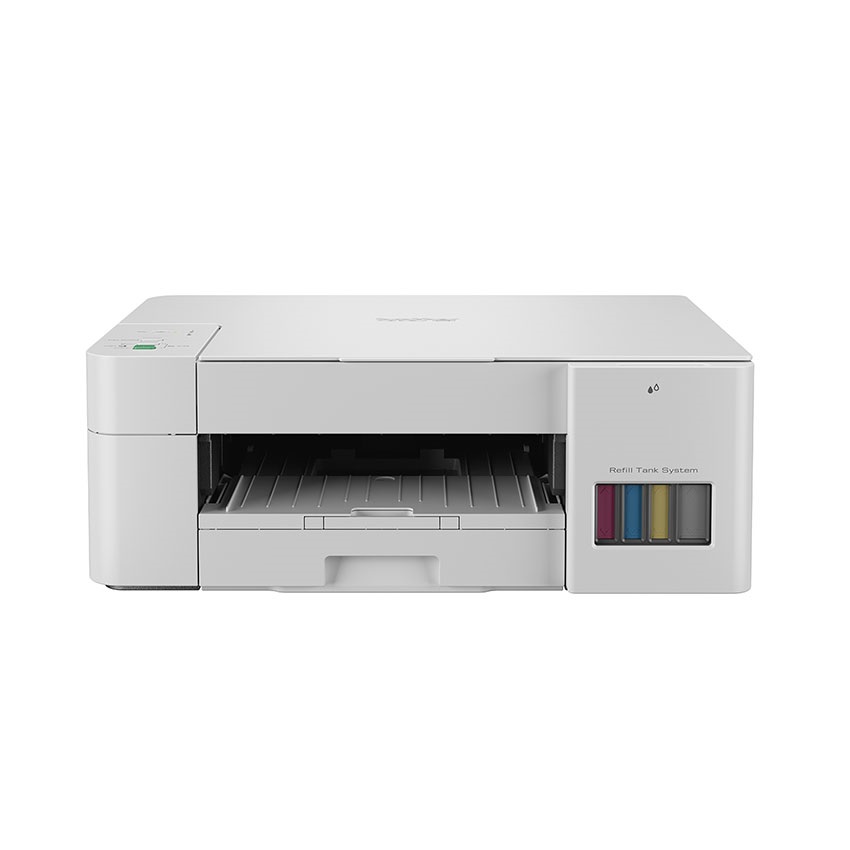
Máy in phun màu Brother DCP-T226
Giá gốc là: 4.190.000 đ.3.800.000 đGiá hiện tại là: 3.800.000 đ.Máy in phun màu Brother DCP-T226Giá bán 3.800.000 đBảo hành 12 thángThông số sản phẩm- Đa chức năng (Flatbed) In màu/Photo màu/ Scan màu
- Giao tiếp USB 2.0 High-speed
- In trắng đen 16 trang/phút, in màu 09 trang/phút
- Chế độ in nhanh: in đen trắng 28 trang/phút, in màu 11 trang/phút
- Bộ nhớ 64MB
- Độ phân giải 1200x6000dpi.
- Hệ thống phím điều hướng đơn giản
- Khay giấy lên đến 150 trang (80gsm); Khay ra 50 trang; Khay tay 1 tờ
- Có tính năng sao chép nhiều bản vào một trang
- Độ phân giải scan 1.200x2.400dpi có thể đến 19200x19200dpi
- Phóng to thu nhỏ 25%-400%
-
SKU: 034365
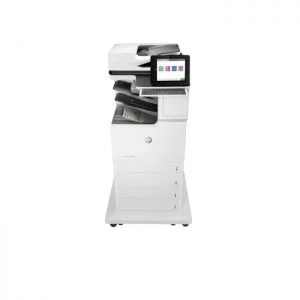
Máy in HP Color LaserJet Enterprise MFP M681z (J8A13A)
Liên hệMáy in HP Color LaserJet Enterprise MFP M681z (J8A13A)Giá bán Liên hệBảo hành 12 thángThông số sản phẩm- Loại máy: Đa năng laser màu
- Chức năng: Print, Copy, Scan, Fax
- Khổ giấy in: Tối đa khổ giấy A4
- Tốc độ in: Lên đến 47 trang / phút
- Tốc độ xử lý: 1.2 GHz
- Bộ nhớ ram: 1.5 GB
- Độ phân giải: 1200 x 1200 dpi
-
SKU: 045346
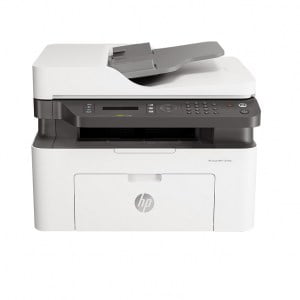
Máy in Đa chức năng HP LaserJet MFP 137FNW (4ZB84A)
Liên hệMáy in Đa chức năng HP LaserJet MFP 137FNW (4ZB84A)Giá bán Liên hệBảo hành 12 thángThông số sản phẩm- Chức năng: In, sao chép, chụp quét, fax, in mạng, wifi
- Khổ giấy: A4/A5
- In đảo mặt: Không
- Cổng giao tiếp: USB/ LAN/ WIFI
- Dùng mực: HP 107A Blk Original Laser Toner Crtg_W1107A ~1000 bản in theo tiêu chuẩn hãng
-
Giảm 12%
SKU: 099428
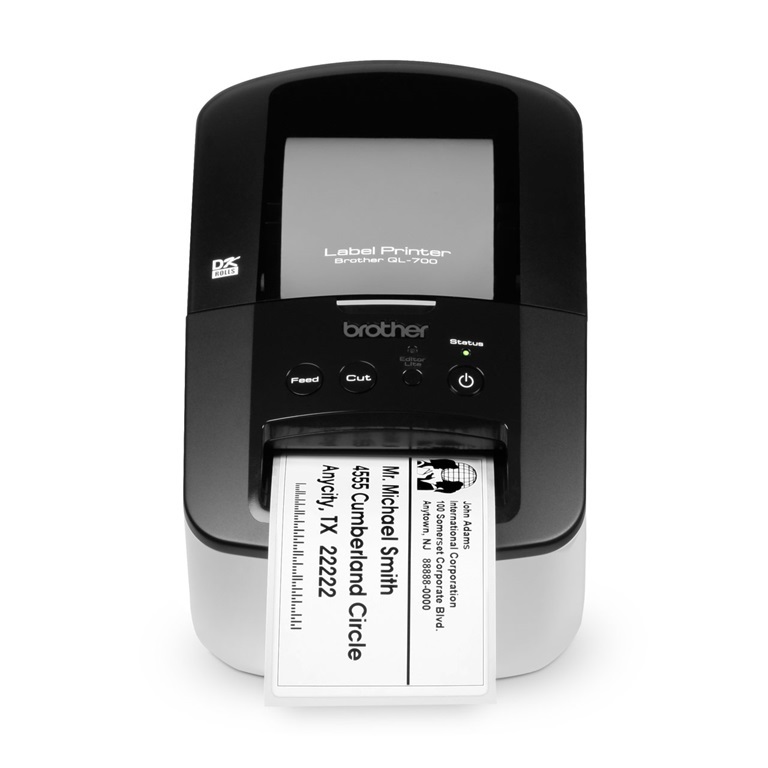
Máy in nhãn Brother QL-700
Giá gốc là: 5.590.000 đ.4.900.000 đGiá hiện tại là: 4.900.000 đ.Máy in nhãn Brother QL-700Giá bán 4.900.000 đBảo hành 12 thángThông số sản phẩm- Máy in nhãn Brother QL-700
- Khổ nhãn in tối đa: 12- 62mm, sử dụng nhãn in DK- Roll, TP D5-2990(S)
- Tốc độ in cao: 150mm/s.
- Độ phân giải lớn 300 dpi
- Chế độ cắt: Cắt tự động.
- Kết nối PC qua cổng USB.
-
SKU: 033696
Máy in HP Color PageWide Enterprise MFP 780dns (J7Z10A)
Liên hệMáy in HP Color PageWide Enterprise MFP 780dns (J7Z10A)Giá bán Liên hệBảo hành 12 thángThông số sản phẩm- Loại máy in: phun màu
- Khổ giấy in: Tối đa khổ A4
- Tốc độ in: 50 trang phút
- Tốc độ xử lý: 1.2 GHz
- Bộ nhớ ram: 1280 MB
- Độ phân giải: 1200 x 1200 dpi, 2400 x 1200 dpi
-
Giảm 7%
SKU: 099666
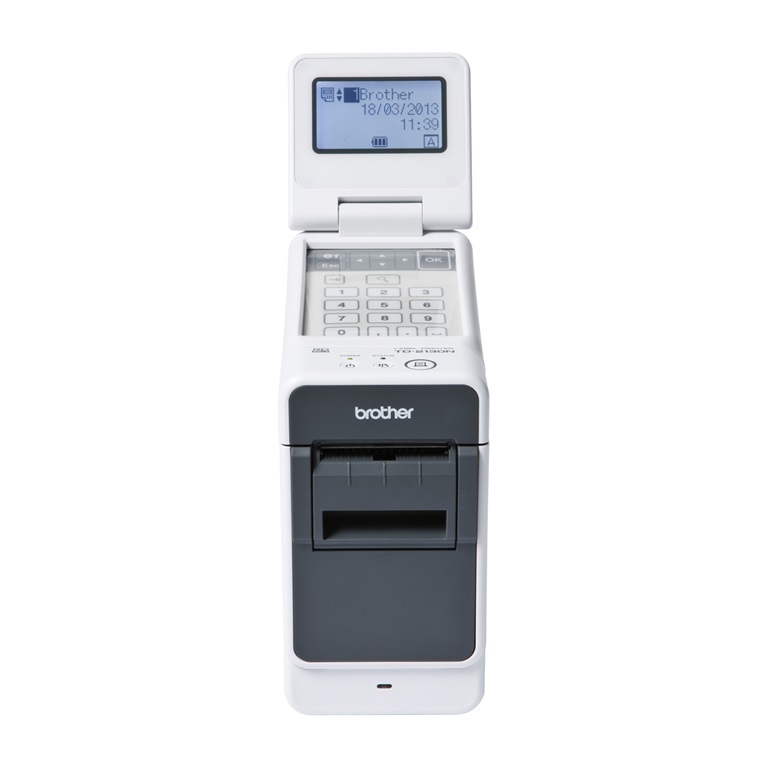
Máy in nhãn Brother TD-2130N
Giá gốc là: 10.990.000 đ.10.200.000 đGiá hiện tại là: 10.200.000 đ.Máy in nhãn Brother TD-2130NGiá bán 10.200.000 đBảo hành 12 thángThông số sản phẩm- Thương hiệu: Brother
- Máy in nhãn, in vòng đeo tay Brother TD-2130N
- Khổ nhãn in: 6-62mm,
- In vòng tay trẻ em, người lớn,
- Tốc độ in: 154.2mm/s,
- Độ phân giải: 300dpi
- Chế độ cắt: Thủ công/ tùy chọn dao cắt và tách nhãn (không bán kèm)
- Bộ nhớ trong: 6MB, lưu 99 tem mẫu.
- Kết nối: PC qua cổng USB, Network
- Có tùy chọn bàn phím và màn hình LCD ( Mua riêng)

Huy –
Máy in HP Color LaserJet Enterprise Flow MFP M880z in di động chỉ với một lần chạm để in tiện lợi từ các thiết bị di động.