

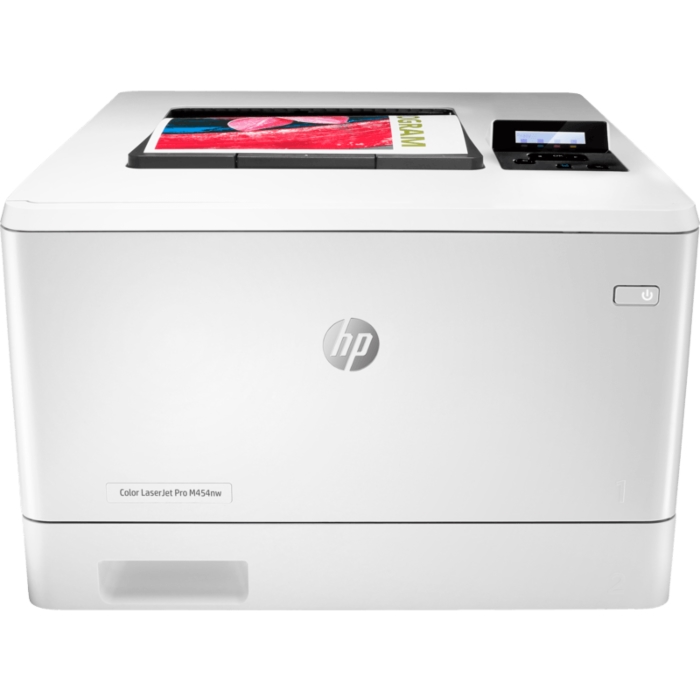
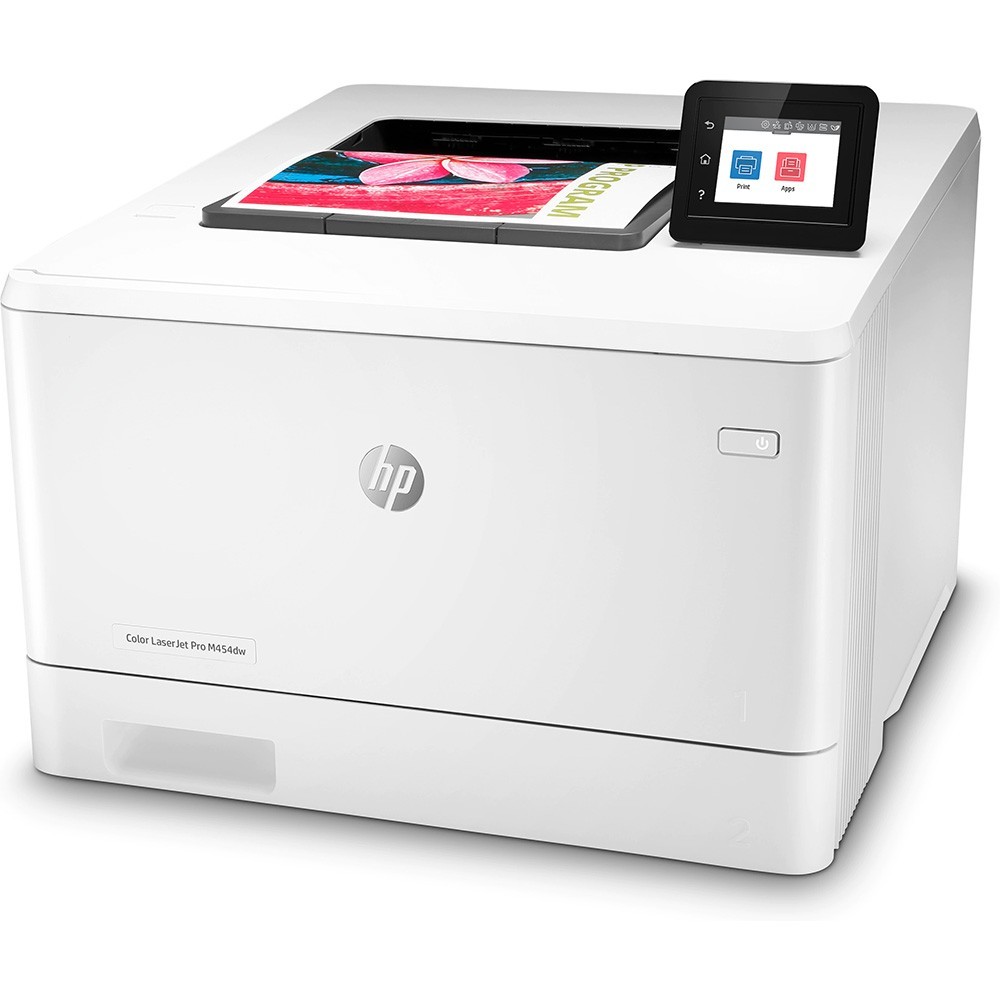
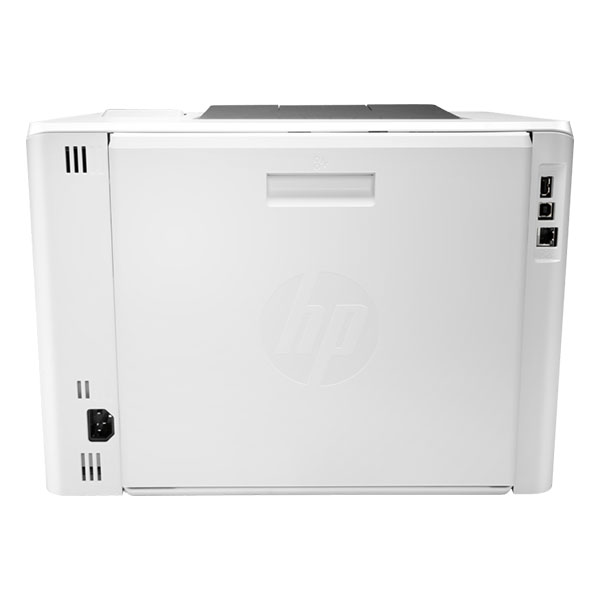
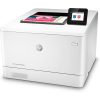
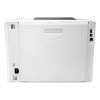
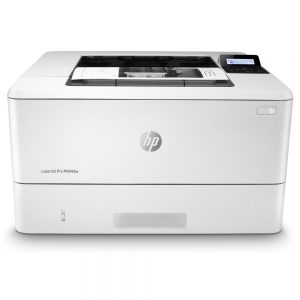
Máy in màu HP Color LaserJet Pro M454NW (W1Y43A)
- Loại máy: In laser màu
- Chức năng: Print, Network, Wifi
- Khổ giấy in: Tối đa khổ giấy A4
- Tốc độ in: Lên đến 27 trang / phút
- Tốc độ xử lý: Tối đa 1200 MHz
- Bộ nhớ ram: 512 MB bộ nhớ trong
- Độ phân giải: 600 x 600 dpi
- Chuẩn kết nối: USB 2.0 tốc độ cao, Network, Wifi
- Chức năng đặc biệt: In qua mạng Lan và không dây Wifi
- Hiệu suất làm việc: 50.000 trang / tháng
Hết hàng
Giới thiệu Máy in HP Color LaserJet Pro M454NW
Phát triển
Máy in màu HP Color LaserJet Pro M454NW (W1Y43A) được xây dựng để giữ bạn. Và doanh nghiệp của bạn cùng tiến về phía trước.
Lấy các trang và đi không cần chờ đợi. Thiết bị này đánh thức và in trang đầu tiên nhanh chóng.
In không dây hoặc có dây. Truy cập mạng bằng Wi-Fi băng tần kép và Wi-Fi trực tiếp.
Tương thích ROAM để in dễ dàng từ hầu như mọi nơi
Bảo mật tốt nhất trong lớp
Một bộ các tính năng bảo mật nhúng giúp bảo vệ máy in của bạn khỏi bị tấn công.
Giúp bảo mật thông tin bí mật với tính năng in mã PIN / Kéo tùy chọn để truy xuất lệnh in.
Trình quản lý bảo mật HP JetAdvantage tùy chọn cho phép bạn đặt chính sách cấu hình và xác thực cài đặt.
Máy in màu HP W1Y43A giúp ngăn chặn các cuộc tấn công tiềm ẩn và thực hiện hành động ngay lập tức với thông báo ngay lập tức về các vấn đề bảo mật.
Thiết kế đơn giản hóa
Thiết lập máy in này nhanh chóng và dễ dàng quản lý cài đặt thiết bị để giúp tăng hiệu quả in tổng thể.
Tận dụng tối đa không gian văn phòng của bạn. Với một máy in thuận tiện phù hợp với phong cách làm việc của bạn.
Làm việc mà không bị chậm trễ hoặc lộn xộn. Với hộp mực có tính năng tự động tháo niêm phong.
Tính bền vững – kinh doanh thông minh
Máy in màu HP Color LaserJet Pro M454NW (W1Y43A) tránh in lại gây khó chịu. Nguồn cung cấp tránh lãng phí và các cuộc gọi dịch vụ bằng cách sử dụng hộp mực HP Chính hãng.
Tiết kiệm đến 11% năng lượng so với các sản phẩm trước.
Giúp tiết kiệm năng lượng với công nghệ HP Auto-on / Auto-off.
Đánh giá Máy in màu HP Color LaserJet Pro M454NW (W1Y43A)
| Chức năng | |
| In 2 mặt tự động | Manual (driver support provided) |
| Tốc độ in | Black (A4, normal): Up to 27 ppm; Black (letter, normal): Up to 28 ppm; Black (A4, duplex): Up to 24 ipm; Black (letter, duplex): Up to 25 ipm |
| Color (A4, normal): Up to 27 ppm; Color (letter, normal): Up to 28 ppm; Color (A4, duplex): Up to 24 ipm; Color (letter, duplex): Up to 25 ipm | |
| Thời gian in ấn | Black (A4, ready): As fast as 9.7 sec; Colour (A4, ready): As fast as 11.3 sec; Black (A4, sleep): As fast as 13.8 sec; Colour (A4, sleep): As fast as 15.3 sec |
| Công nghệ in | Laser |
| Độ phân giải | Black (best) 600 x 600 dpi, Up to 38, 400 x 600 enhanced dpi; Black (normal) 600 x 600 dpi, Up to 38, 400 x 600 enhanced dpi |
| Colour (best): 600 x 600 dpi, Up to 38, 400 x 600 enhanced dpi; Color (normal): 600 x 600 dpi, Up to 38, 400 x 600 enhanced dpi | |
| Tiêu chuẩn độ phân giải | HP ImageREt 3600, PANTONE® calibrated |
| Số hộp mực | 4 (1 each black, cyan, magenta, yellow) |
| Ngôn ngữ in | HP PCL 6, HP PCL 5c, HP postscript level 3 emulation, PDF, URF, PWG Raster |
| Phần mềm quản lý máy in | HP Printer Assistant; HP Utility (Mac); HP Device Toolbox; HP Web JetAdmin Software; HP JetAdvantage Security Manager; HP SNMP Proxy Agent; HP WS Pro Proxy Agent; Printer Administrator Resource Kit for HP Universal Print Driver (Driver Configuration Utility – Driver Deployment Utility – Managed Printing Administrator) |
| Kết nối tiêu chuẩn | 1 Hi-Speed USB 2.0 port; 1 host USB at rear side; built-in Gigabit Ethernet 10/100/1000 Base-TX network port; 1 Wireless 802.11b/g/n/2.4/5 Ghz Wi-Fi radio |
| Tính năng in ấn di động | Apple AirPrint™; Google Cloud Print™; HP ePrint; HP Smart App and other mobile Apps; Mopria™ Certified; ROAM capable for easy printing; Wi-Fi® Direct printing |
| Hỗ trợ in mạng | Yes, built-in dual-band Wi-Fi; Authentication via WEP, WPA/WPA2, WPA Enterprise; Encryption via AES or TKIP; WPS; Wi-Fi Direct; Bluetooth Low-Energy |
| Thông số mạng | Yes, via built-in 10/100/1000Base-Tx Ethernet, Gigabit; Auto-crossover Ethernet; Authentication via 802.1x |
| Bộ nhớ | Standard: 256 MB NAND Flash, 512 MB DRAM; Maximum: 256 MB NAND Flash, 512 MB DRAM |
| Tốc độ bộ xử lý | 1200 MHz |
| Công suất in | Up to 50,000 pages; Recommended monthly page volume: 750 to 4000 |
| Khay giấy đầu vào | 50-sheet multipurpose tray, 250-sheet input tray |
| Đầu ra | 150-sheet output bin |
| Loại vật liệu | Paper (bond, brochure, colored, glossy, letterhead, photo, plain, preprinted, prepunched, recycled, rough), postcards, labels, envelopes |
| Độ dày | Tray 1: 60 to 176 g/m² (up to 200 g/m² with postcards and HP Color laser glossy photo papers); Tray 2: 60 to 163 g/m² (up to 176 g/m² with postcards, up to 200 g/m² HP Color laser glossy photo papers): optional Tray 3: 60 to 163 g/m² (up to 176 g/m² with postcards, up to 150 g/m² Glossy media) |
| Kích cỡ | Tray 1: 76 x 127 to 216 x 356 mm; Tray 2, optional Tray 3: 100 x 148 to 216 x 356 mm |
| Kích cỡ(W x D x H) | 420 x 390 x 323 mm |
| Trọng lượng | 17.5 kg |
| Phụ kiện đi kèm | HP Color LaserJet Pro M454nw; 4 preinstalled Introductory HP LaserJet Toner cartridges (Black, Cyan, Magenta, Yellow: ~1200 pages); In-box documentation (Getting Started Guide, Install Poster), regulatory flyer; Internet connection is required to set up the printer. HP printer software is available at http://www.hp.com/support; Power cord; USB cable |
| Bảo hành | One-year Bench/Depot Repair warranty. Warranty and support options vary by product, country and local legal requirements. Contact your Contractual Vendor or go to hp.com/support to learn about HP award winning service and support options in your region. (wty code 4E; wty ID A033) |
| Hệ điều hành tương thích | Windows Client OS (32/64 bit), Win10, Win8.1, Win 8 Basic, Win8 Pro, Win8 Enterprise, Win8 Enterprise N, Win7 Starter Edition SP1, UPD Win7 Ultimate, Mobile OS, iOS, Android, Mac, Apple® macOS Sierra v10.12, Apple® macOS High Sierra v10.13, Apple® macOS Mojave v10.14, Discrete PCL6 Printer Driver, For more information on the supported operating systems go to http://support.hp.com, Enter your product name and search, Click on User Guides and enter your product name and search for User Guide, Search for your (Product Name) User Guide, Search for the Supported Operating Systems section, UPD PCL6 / PS Printer Drivers, Supported Operating systems, For more information on the supported operating systems see http://www.hp.com/go/upd |
| Yêu cầu hệ thống tối thiểu | PC:2 GB available hard disk space, Internet connection, USB port, Internet browser. For additional OS hardware requirements see http://microsoft.com; |
| Mac: 2 GB available hard drive space, Internet connection or USB port, OS hardware requirements see apple.com; | |
| Phần mềm đi kèm | Secure Boot; Secure Firmware Integrity; Runtime Code Integrity; password protected EWS; secure browsing via SSL/TLS 1.0; TLS 1.1; TLS 1.2; IPP over TLS; Network: enable/disable network ports and features; unused protocol and service disablement; SNMPv1; SNMPv2; and SNMPv3; community password change; HP ePrint: HTTPS with certificate validation; HTTP Basic Access Authentication; SASL authentication; Firewall and ACL; control panel lock; certificates configuration; UPD PIN printing; Syslog; signed firmware; administrator settings; 802.1x authentication (EAP-TLS, and PEAP); authentication via WEP; WPA/WPA2 Personal; WPA2-enterprise; encryption via AES or TKIP; Encrypted data storage; Secure data erase; Automatic firmware updates; Secure Encrypted Print via optional job storage; Compatible with optional HP JetAdvantage Security Manager; IPPS |
| Fonts và typefaces | 84 scalable TrueType fonts |
| Bảng điều khiển | 2-line backlit LCD graphic display; 5 buttons (Cancel, Select, Reverse, Right/Left arrows); LED indicator lights (Attention, Ready |
| Màn hình | 2-line backlit LCD graphic display |
| Nguồn | Power supply type: Internal (built-in) Power Supply; Power supply required: 110-volt input voltage: 110 to 127 VAC (+/- 10%), 60 Hz (+/- 3 Hz); 220-volt input voltage: 220 to 240 VAC (+/- 10%), 50/60Hz (+/- 3 Hz) (Not dual voltage, power supply varies by part number with # Option code identifier); Power consumption 2 : 550 watts (active printing), 17 watts (ready), 0.9 watts (sleep), 0.9 watts (HP auto-off/auto-on), 0.07 watts (auto-off/manual-on), 0.07 watts (off); Typical Electricity Consumption number 3 : 1.144 kWh/Week (Energy Star), 1.046 kWh/week (Blue Angel) |
| Môi trường hoạt động | Operating temperature range: 15 to 30°C ; Recommended operating temperature: 15 to 27°C ; Operating humidity range: 10 to 80% RH (non-condensing) ; Recommended operating humidity range: 20 to 70% RH (non-condensing) |
| Chứng nhận môi trường | CECP |
| Hỗ trợ giao thức mạng | TCP/IP, IPv4, IPv6; Print: TCP-IP port 9100 Direct Mode, LPD (raw queue support only), Web Services Printing, HP ePrint, Apple AirPrint™, Google Cloud Print 2.0, Mopria, IPP Print; Discovery: SLP, Bonjour, Web Services Discovery; IP Config: IPv4 (BootP, DHCP, AutoIP, Manual), IPv6 (Stateless Link-Local and via Router, Statefull via DHCPv6), SSL Security and Certificate management; Management: SNMPv1, SNMPv2, SNMPv3, HTTP/HTTPS, Syslog, FTP FW Download |
-
 SKU: 150882
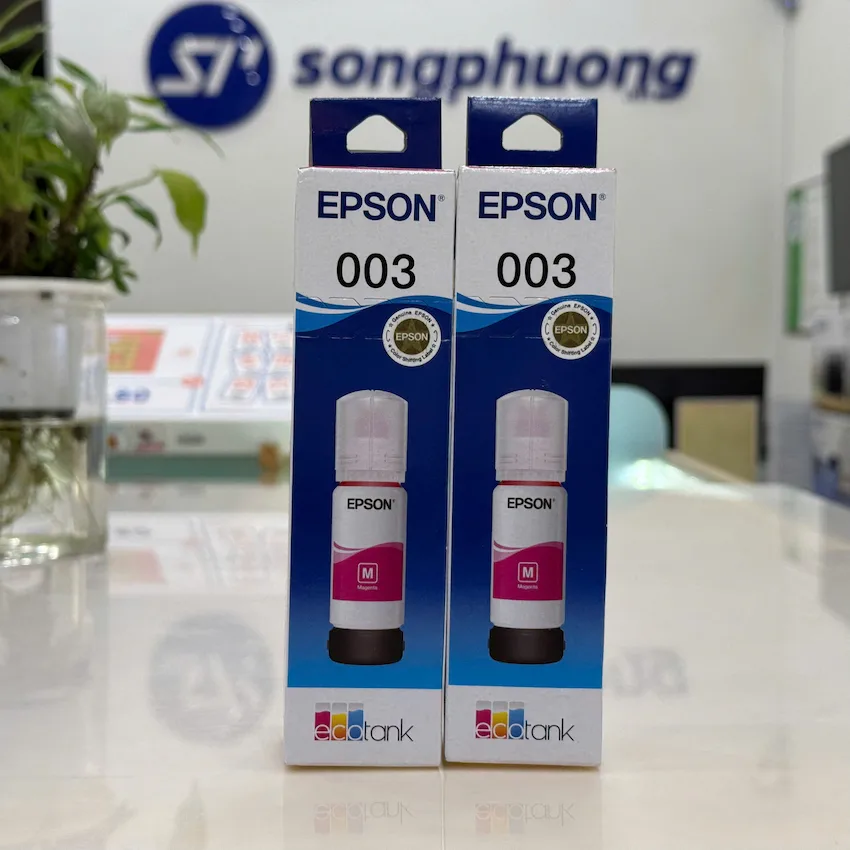
Mực in Epson 003 M (Đỏ)
200.000 đMực in Epson 003 M (Đỏ)Giá bán 200.000 đBảo hành khôngThông số sản phẩm- Tên sản phẩm: Mực in Epson 003 M (Đỏ)
- Mã mực / SKU: C13T00V100
- Thương hiệu: Epson
- Loại mực: Mực in phun (Ink Tank – Dye ink)
- Màu sắc: Đỏ (Magenta)
- Dung tích: ~65ml (chuẩn dòng 003 phổ biến)
- Hiệu suất in: Khoảng 3.000 trang (độ phủ 5%)
- Công nghệ: EcoTank – tiết kiệm mực, chi phí thấp
- Xuất xứ: Chính hãng Epson
-
SKU: 147787
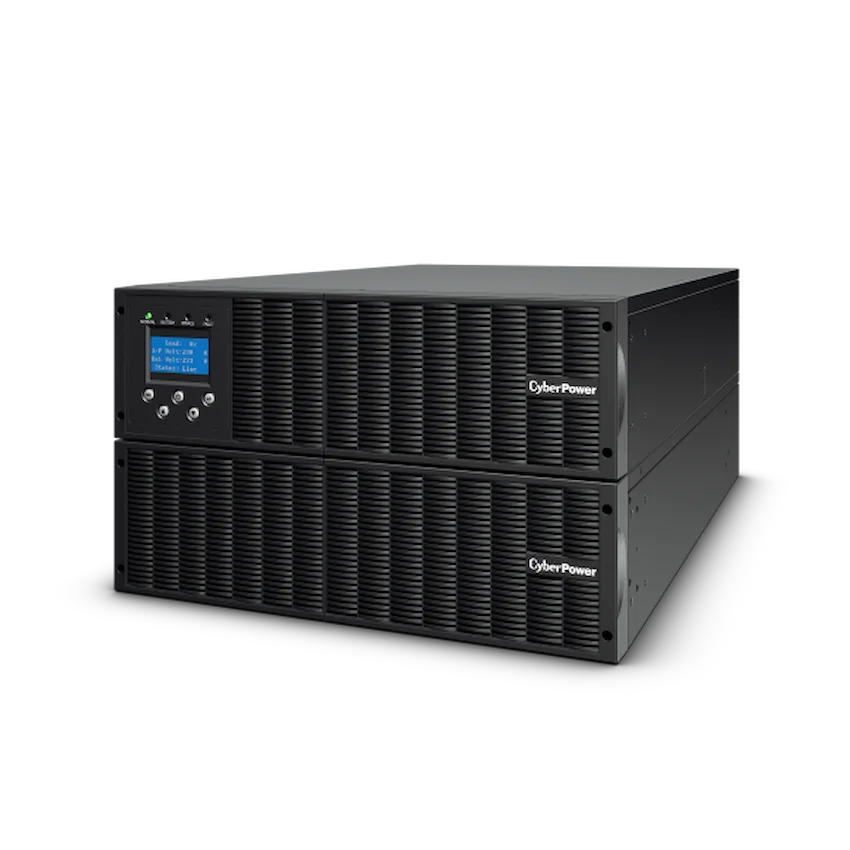
Bộ Lưu Điện UPS CyberPower OLS10000ERT6U (10000VA/9000W, Màn hình LCD hiển thị trạng thái)
50.600.000 đBộ Lưu Điện UPS CyberPower OLS10000ERT6U (10000VA/9000W, Màn hình LCD hiển thị trạng thái)Giá bán 50.600.000 đBảo hành 24 thángThông số sản phẩm- Bộ Lưu Điện UPS CyberPower OLS10000ERT6U
- Thương hiệu: CyperPower
- Model: OLS10000ERT6U
- VA: 10000
- Watts: 9000
- Điện Áp Đầu Ra ( Vac ): 208 ± 1 % / 220 ± 1 % / 230 ± 1 % / 240 ± 1 %
- Thời Gian Nửa Tải ( min ): 11
- Ổ Cắm Điện: Hardwire Terminal Block x 1
- Chế Độ ECO
- Đầu ra Sóng Sin Chuẩn
- LCD Hiển thị thông tin
- Mở rộng song song UPS
-
Giảm 3%
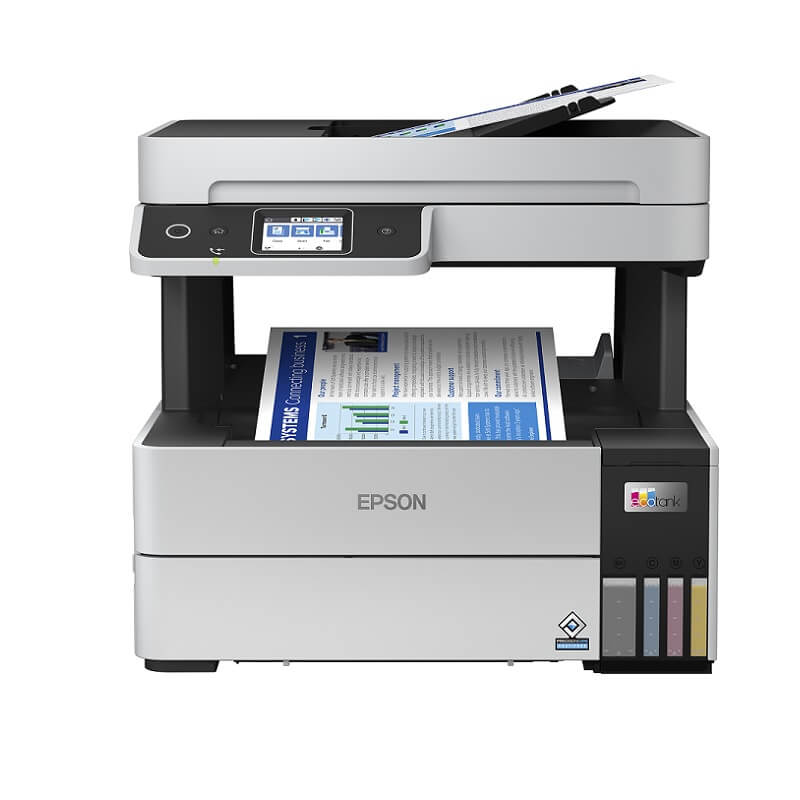
SKU: 110852
Máy in phun màu đa chức năng Epson L6490 STD (in,scan, copy, fax,wifi direct, in hai mặt, khay nạp tài liệu tự động)
Giá gốc là: 11.590.000 đ.11.290.000 đGiá hiện tại là: 11.290.000 đ.Máy in phun màu đa chức năng Epson L6490 STD (in,scan, copy, fax,wifi direct, in hai mặt, khay nạp tài liệu tự động)Giá bán 11.290.000 đBảo hành 24 thángThông số sản phẩm- Model: L6490 STD
- Loại máy: In phun màu đa năng
- Chức năng: In, scan, copy, gửi fax với ADF
- Khổ giấy in: Tối đa khổ A4
- Độ phân giải: Lên đến 4800 x 1200 dpipi
- Chuẩn kết nối: USB 2.0 Hi-Speed, Ethernet,Wi-Fi Direct, Network
- Mực in sử dụng: Mực 008 ( Đen, xanh,đỏ, vàng)
- Bảo hành: Chính hãng 2 năm
-
SKU: 033556
Máy in HP Color PageWide MFP 774dns (4PZ44A)
Liên hệMáy in HP Color PageWide MFP 774dns (4PZ44A)Giá bán Liên hệBảo hành 12 thángThông số sản phẩm- Loại máy in: phun màu
- Khổ giấy in: Tối đa khổ A4
- Tốc độ in: 50 trang phút
- Tốc độ xử lý: 1.2 GHz
- Bộ nhớ ram: 1280 MB
- Độ phân giải: 1200 x 1200 dpi, 2400 x 1200 dpi
-
SKU: 034724
Máy in HP LaserJet Enterprise M806dn (CZ244A)
Liên hệMáy in HP LaserJet Enterprise M806dn (CZ244A)Giá bán Liên hệBảo hành 12 thángThông số sản phẩm- Chức năng: Công nghệ laser. In 2 mặt tự động. Khổ in: A3, A4, A5, B4, B5
- Công suất in tối đa 300000 trang/ tháng
- Công suấtin khuyến nghị tới 10000-50000 trang/thángTốc
- độ in 56 trang /phút.
- Công nghệ mực in: Jet Intelligence
- Chất lượng in: 1200 x 1200 dpi.
- Thời gian in trang đầu tiên: 8.5s
- Bộ nhớ tiêu chuẩn: 1GB
- Màn hình hiển thị: 4.3" touchscreen, LCD (color graphics, 480 x 272)
-
SKU: 033581
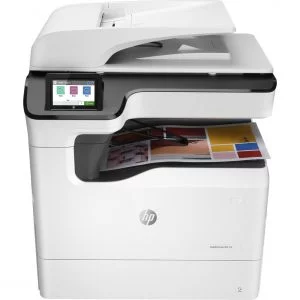
Máy in HP PageWide Color 755dn (4PZ47A)
Liên hệMáy in HP PageWide Color 755dn (4PZ47A)Giá bán Liên hệBảo hành 12 thángThông số sản phẩm- Loại máy: Máy in phun màu
- Chức năng: Print, Duplex, Network
- Khổ giấy in: Tối đa khổ giấy A4
- Tốc độ in: Lên đến 31~40 trang / phút
- Độ phân giải: 1,200 x 1,200 dpi
- Tốc độ xử lý: 1.2 GHz
- Bộ nhớ: 8 GB eMMC Solid State Drive (SSD)


-
SKU: 109585
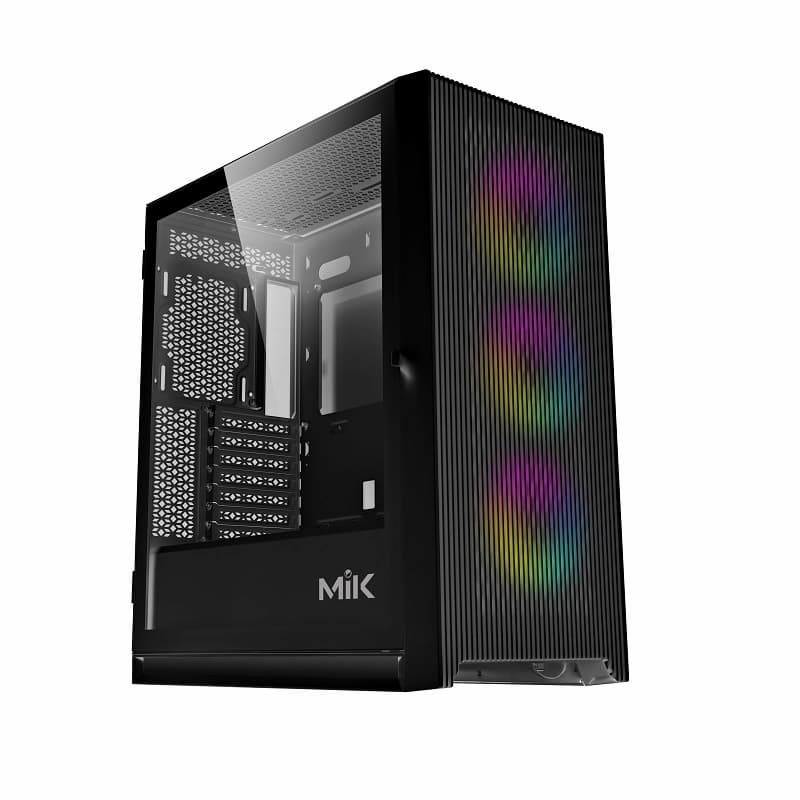
SP PC AMD 5800X3D (R7 5800X3D / B550/ Ram 16GB/ RTX 3060 / SSD 500GB/ 650W/ DOS)
Liên hệSP PC AMD 5800X3D (R7 5800X3D / B550/ Ram 16GB/ RTX 3060 / SSD 500GB/ 650W/ DOS)Giá bán Liên hệBảo hành 36 thángThông số sản phẩm- CPU: AMD Ryzen 7 5800X3D
- Main: ASUS TUF GAMING B550-PLUS
- Ram: Corsair Vengeance RGB RS 16GB (2x8GB) 3200MHz
- VGA: MSI RTX 3060 VENTUS 2X OC 12G
- SSD: MSI SPATIUM M450 500GB M2 2280 NVMe PCIe Gen4x4
- PSU: Thermaltake Litepower 650W
- Case: MIK STORM 360 Black 3FA
- OS: DOS (Chưa bao gồm Hệ điều hành và Phần mềm bản quyền)
- Note: Khuyến cáo khách hàng sử dụng phần mềm bản quyền để tuân thủ quy định pháp luật
Chương trình khuyến mãiTặng kèm:
- 01 Mouse PAD Trị giá 30.000 VNĐ
- 01 Fan CPU ID-COOLING SE-207-XT ADVANCED
- Mua kèm LCD – Giảm thêm 200.000 VNĐ
HỖ TRỢ TRẢ GÓP (HD SAISON, mPOS)
=> Tham khảo: Phần mềm bản quyền
-
SKU: 012281
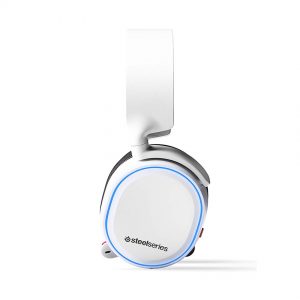
Tai nghe SteelSeries Arctis 5 White/Black
Liên hệTai nghe SteelSeries Arctis 5 White/BlackGiá bán Liên hệBảo hành 12 thángThông số sản phẩm- Phiên bản mới nhất của Steelseries Arctis 5
- Cải thiện chất lượng âm thanh, độ thoải mái
- Chất lượng Microphone được tăng cường đáng kể
- Một trong những chiếc tai nghe có Mic tốt nhất thế giới
- Âm trường rộng, cho trải nghiệm chơi game tuyệt vời
- Phù hợp với tất cả các thể loại game
-
SKU: 007274
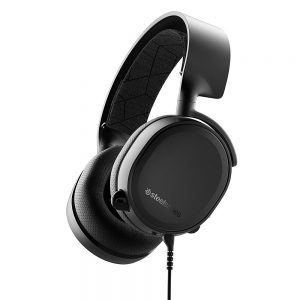
Tai nghe SteelSeries Arctis 3 2019 Edition White/Black (61503/61506)
Liên hệTai nghe SteelSeries Arctis 3 2019 Edition White/Black (61503/61506)Giá bán Liên hệBảo hành 12 thángThông số sản phẩm- Phiên bản nâng cấp của Steelseries Arctis 3
- Chất lượng âm thanh được cải thiện
- Chất lượng Microphone xuất sắc trong tầm giá
- Âm thanh giả lập 7.1 sử dụng qua Windows Sonic Surround
- Dây kết nối được thay đổi thông minh hơn
-
SKU: 011777
SP-Super Boss 010 (R7 3700X/B450/Ram 8GB/GTX 1650 /SSD 256GB/500W/DOS)
Liên hệSP-Super Boss 010 (R7 3700X/B450/Ram 8GB/GTX 1650 /SSD 256GB/500W/DOS)Giá bán Liên hệBảo hành 36 thángThông số sản phẩm- CPU: AMD Ryzen 7 3700X
- Main: MSI B450 TOMAHAWK MAX
- Ram: ADATA D10 8GB DDR4 3200MHz -Tản nhiệt
- VGA: MSI GTX 1650 D6 VENTUS XS OCV1
- HDD: Tùy chọn có thể nâng cấp
- SSD: Klevv CRAS C710 256GB M2 NVME Gen3x4 – K256GM2SP0
- PSU: 1ST Player PS-500AX FULL MODULAR
- Case: MSI MAG VAMPIRIC 010M
- OS: DOS (Chưa bao gồm Hệ điều hành và Phần mềm bản quyền)
- Note: Khuyến cáo khách hàng sử dụng phần mềm bản quyền để tuân thủ quy định pháp luật
Chương trình khuyến mãiQUÝ KHÁCH VUI LÒNG CHỌN GÓI KHUYẾN MÃI:
KM1: MUA HÀNG VỚI GIÁ KHUYẾN MÃI GIẢM
KM2: MUA HÀNG VỚI GIÁ NIÊM YẾT + KHUYẾN MÃI KÈM THEO
- Tặng Mouse PAD trị giá 100.000 VNĐ
- Tặng Kèm 03 Fan LED ARGB Trị giá 270.000 VNĐ
- Tặng Ram ADATA D10 8GB DDR4 3200MHz – Trị giá 1.330.000 VNĐ
- Mua kèm Màn hình – Giảm ngay 300.000 VNĐ
HỖ TRỢ TRẢ GÓP (HD SAISON, mPOS)
=> Tham khảo Phần mềm bản quyền
-
SKU: 010984
Máy in HP LaserJet Pro M404dw (W1A56A)
8.690.000 đMáy in HP LaserJet Pro M404dw (W1A56A)Giá bán 8.690.000 đBảo hành 12 thángThông số sản phẩm- Tốc độ in: 40pm (Letter)
- Tốc độ xử lý: 1200 MHz
- Độ phân giải in: Up to 1200 x 1200 dpi
- Hỗ trợ in 2 mặt tự động
- Khả năng in di động
- Kết nối: 1 Hi-Speed USB 2.0; 1 host USB at rear side; Gigabit Ethernet 10/100/1000BASE-T network; 802.11b/g/n / 2.4/ 5 GHz Wi-Fi radio
- Khay nạp giấy vào: 100-sheet multipurpose Tray 1, 250-sheet input Tray 2
- Dung lượng trang hàng tháng khuyến nghị: 750 đến 4000 trang
-
SKU: 005555
Chuột SteelSeries Sensei RAW Frost Blue (62159)
Liên hệChuột SteelSeries Sensei RAW Frost Blue (62159)Giá bán Liên hệBảo hành 12 thángThông số sản phẩm- Thiết kế đối xứng dành cho người thuận tay trái lẫn tay phải
- Được trang bị 8 nút bấm với 7 nút bấm có thể lập trình được
- Thân chuột được phủ một lớp sơn bóng màu trắng
- Hệ thống đèn chiếu sáng với ánh sáng xanh dương rực rỡ
- 3 vùng chiếu sáng: Nút cuộn, đèn báo CPI, logo
- Số khung hình trên 1 giây: 12000
- Tốc độ lướt trên 1 giây: 150
- Mega pixels per second: 10.8
- Counts per inch: 90 – 5670 CPI
- Gia tốc tối đa: 30 G
- Khoảng cách nâng (Lift Off Distance): ~2 mm
- Tần số quét tối đa: 1000 Hz



Huy –
Máy in màu HP Color LaserJet Pro M454NW (W1Y43A) được xây dựng để giữ bạn. Và doanh nghiệp của bạn cùng tiến về phía trước